Gadgets
Coffee, Humidity and Corrosion: What Really Happens After a MacBook Liquid Spill
Can your Macbook be saved from a coffee disaster? Here’s what you need to know.


When it comes to tech, accidents happen. All it takes is an innocuous reach across your desk, and next thing you know, you’ve knocked a cup of coffee over, watching helplessly as it spreads across your MacBook keyboard. With coffee forming part of many South Africans’ daily routines, it is an everyday accident that can happen more easily than people expect.
After a frantic clean-up, the laptop still switches on. The keyboard works, and the screen looks normal. Crisis over… or so it seems. Unfortunately, the liquid disappearing does not necessarily mean everything is hunky-dory.
The first few minutes are critical
Liquid can travel through the small gaps around a MacBook’s keys and reach components below the keyboard, coming into contact with the logic board and other sensitive electronics.
If a drink is spilt on a MacBook, disconnect the power immediately and switch the device off. Avoid repeatedly turning it on to see whether it still works and do not connect it to a charger. Electrical current passing through wet components can make the damage worse.
Turning the MacBook upside down or leaving it near a fan can remove some surface moisture, but DIY drying methods can’t confirm what’s happening inside the machine. The next step is to find a trusted provider of MacBook repairs in Cape Town and arrange a professional assessment as soon as possible.
Coffee leaves more than moisture behind
MacBook water damage is serious, but a coffee spill can be especially bad. The sugars and oils in a cup of coffee are left behind after the water content evaporates.
This residue can be mildly conductive or corrosive, settling around tiny contacts and connectors, interfering with the electrical connections the MacBook needs to operate reliably.
In other words, “it looks dry” and “there is no internal damage” are not the same thing. A cloth can clean the keyboard but can’t remove contamination that has travelled beneath it.
Humidity complicates the picture
Humidity can complicate an existing liquid-damage problem. In humid parts of South Africa, including coastal areas such as Cape Town, moisture evaporates more slowly than it would in a dry environment.
More importantly, residues left by a spill can attract or retain moisture from the surrounding air, creating conditions for corrosion to develop.
MacBook corrosion isn’t always immediate, but spreads gradually over several hours, days or even weeks, affecting connections that looked unharmed at first.
A MacBook can work after a spill, for a while
One of the most misleading things about MacBook liquid damage is that the laptop can carry on working normally at first while the internal components can still be affected.
Delayed symptoms include unreliable keys, charging problems, a battery that behaves strangely, flickering or display failure, random shutdowns and difficulty starting up. In some cases, a MacBook that worked after the original spill later stops switching on altogether.
How long can problems appear after a spill? This depends on the type of liquid and how far it travelled, and whether the device was still powered.
Assessment does not automatically mean replacement
A proper diagnostic assessment can establish where the liquid travelled, and which components have been affected. It can also determine whether a MacBook liquid damage repair is technically and financially sensible.
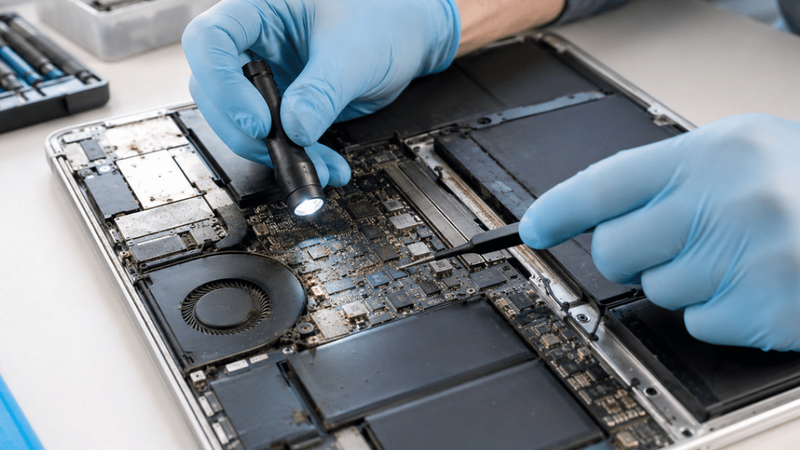
Liquid damage doesn’t automatically mean that the entire device must be replaced. Experienced technicians can clean affected areas, repair damaged connections or replace specific components. This can extend the useful life of a MacBook while avoiding the cost and disruption of purchasing a new one.
Repair is especially worth considering when the device is relatively new or contains important data. For professionals, students, remote workers and small-business owners needing a MacBook repair, a transparent assessment gives a far better basis for making that decision than guesswork.
The most expensive mistake after a MacBook coffee spill is assuming that nothing is wrong just because the laptop still switches on. Acting quickly gives a technician the best chance of identifying hidden damage before a manageable spill becomes a much larger repair problem.