
Gadgets
This Double-Screen Extender is a Game-Changer for Work & Play
The Duex Plus DS is a serious production-booster to save you a lot of time and headaches.

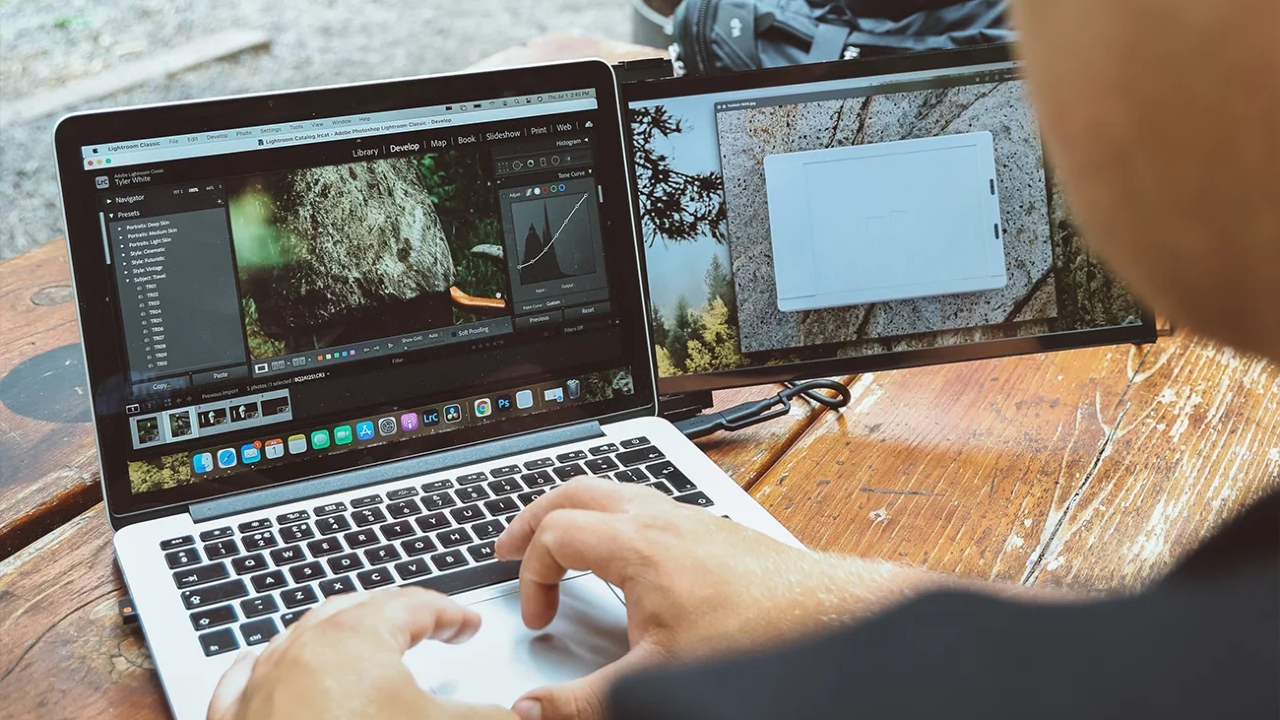
How many times have you had too many browser tabs open, too many things running on your laptop concurrently, only to lose track of where you were or what you were doing?
Many people may think that adding a secondary screen to your work or at-home set-up might hamper or overwhelm you, but the reality is that it actually makes your tasks simpler, easier, and saves you a lot of time clicking and switching between tabs and applications.
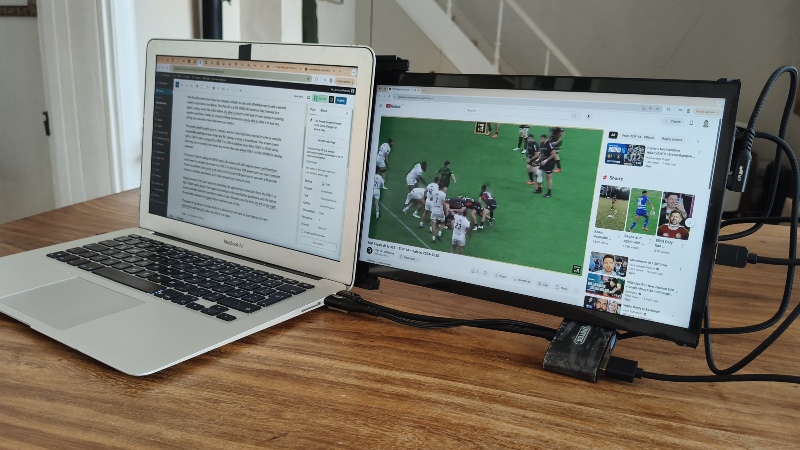
While buying a whole new dual-screen device is often too expensive an undertaking, and getting a whole new monitor may limit space or often also come with a hefty price-tag, a simpler solution has been introduced by Duex.
The Plus DS screen from Duex is a compact, simple-to-use, and affordable way to add a second screen to just about any device. The Plus DS is a full 1080p HD monitor that’s housed in a plastic casing, much like a thin tablet. It’s able to attach to the back of your laptop or existing monitor, and then, thanks to a handy sliding mechanism, you’re able to slide it in and out, giving you a second screen whenever you need it.
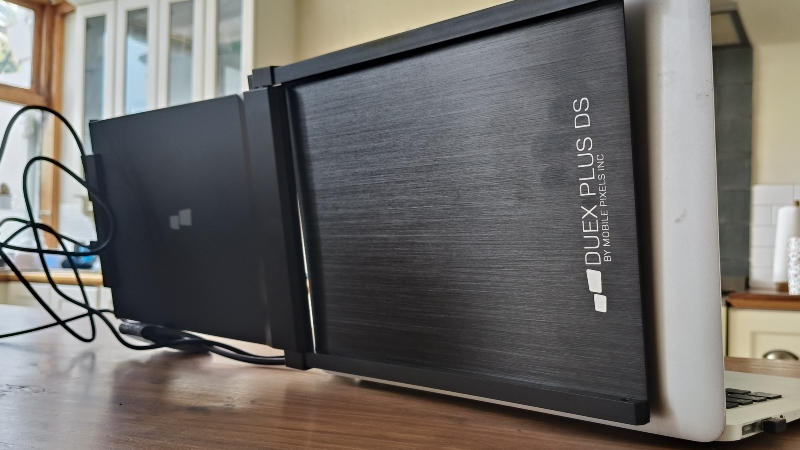
The screen itself is really easy to connect, and it’s clear that the manufacturer wanted it to be as versatile as possible, working on just about any PC, laptop, or even a smartphone. The screen comes with a USB-C cable, along with a USB-C to USB-A adapter and a Mini HDMI to HDMI cable, allowing you to connect just about any device that uses either USB-C or Mini HDMI for display purposes.
Regarding using a smartphone with the screen, we weren’t able to connect it just using the USB-C to the phone (some phones seem to work for this, some don’t), but using a USB-C to HDMI (which you’ll have to buy), and a power bank to power the screen seems to work.
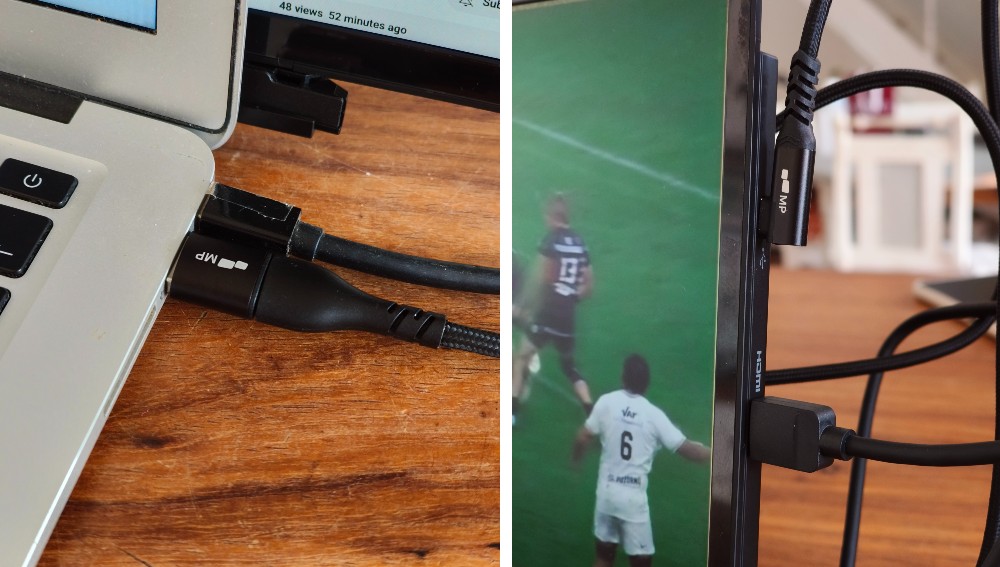
Of course, if you’re using the HDMI input, the screen will still require power, and therefore, you’ll need to connect the screen via USB-C to one of your USB power ports on your computer. It’s not a problem, but can be a bit tricky if all of your USB ports are in use with a Bluetooth mouse or another peripheral, so it’s just something to keep in mind.
Realistically, most people who buy the Duex Plus DS will be doing so for some more display real estate for their laptop work. The kit comes with four magnets that are placed on the lid of your laptop, which then magnetise to the external display via four magnetic points on the screen’s cover. This allows you to adjust as you see fit, and pop it off with relative ease when you’re packing away your laptop or putting it in a bag. However, the screen is so compact, it could fit into most sizable laptop bags without even disconnecting it – just simply slide it back into its housing.
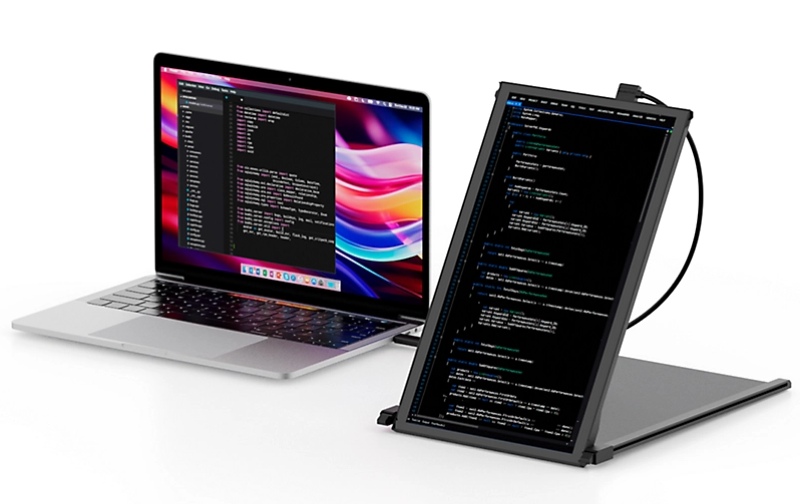
Another great feature of the Plus DS’ design is that it allows you to orient the screen in a portrait style, if you prefer that layout. You can simply slide out the screen from its housing, click it into a 45-degree angle, and use that as the kickstand to give you a full-length external display. Meaning, you won’t even have to mount it to your laptop if you don’t want to.
So, whether the question of whether the Duex Plus DS works or not is pointless – it works, and works well. It might not be the highest fidelity screen around, and the need for power is something to consider (power banks could work too). But if you need some extra space on your desktop, want to watch something on the side while doing another task, or have a larger screen to show a colleague a presentation on your phone, it’s a cost-efficient and convenient add-on.
The Duex Plus DS is available on the Micro Pixels website for $199.99 (around R3,600) for the 13-inch model.


